Redact a PDF for free, without uploading it
PDFSafeKit is a private PDF toolkit that runs entirely in your browser. Its first tool securely redacts PDFs: the text you point at is removed from the produced file, not covered by a black rectangle. No document is sent to a server, here or anywhere else.
Hiding sensitive data in a PDF is not removing it
The usual way to "redact" a PDF is to draw a black box over the passage to hide, in a PDF reader or an image editor. That rectangle is a drawing added on top of the page: the words stay in the file underneath it. A copy-paste finds them, so does any text extractor, and the person you sent the document to needs no particular skill to come across them. That is how most "anonymised" documents leak.
Redacting for real means deleting. On a page carrying at least one zone to remove, PDFSafeKit turns the page into an image, paints the zones on that image, and replaces the original page with the result. No text layer is left to recover: not by copy-paste, not by extraction, not by reopening the file in another program. Why a black box hides nothing explains it at length, and shows how to check a file you have already sent.
What the tool actually does
- Automatic detection. Social insurance and social security numbers, IBANs, card numbers, dates, email addresses, postal codes, people's names: what is recognised is offered to you, and you decide what goes. Every number that has a check digit is validated against it, so an invoice reference that happens to look like an identifier is not reported as one.
- Manual selection. Click a word, drag across part of a line, or draw a rectangle over an area — useful for a signature, a stamp, a photograph of a card, or any scanned document with no text layer at all.
- Scanned pages are read. A page whose text the file itself does not carry is recognised on demand, in the browser like everything else, so detection and word-selection work on a scan too. The interface says which pages those were: a recognised value is a guess, and a guess is never proposed as a certainty.
- Highlight, strike through, underline. These marks decorate without removing anything: the text stays readable in the produced file, and the interface says so every time rather than letting a coloured line pass for a redaction.
- Verification of the produced file. PDFSafeKit re-reads the PDF it has just written and refuses to hand it over if a string that was meant to be gone is still extractable from it — or any surviving four-character run of one.
- Redaction report. A downloadable account of what was removed, by type and by page — without ever copying the values themselves into it.
What it looks like
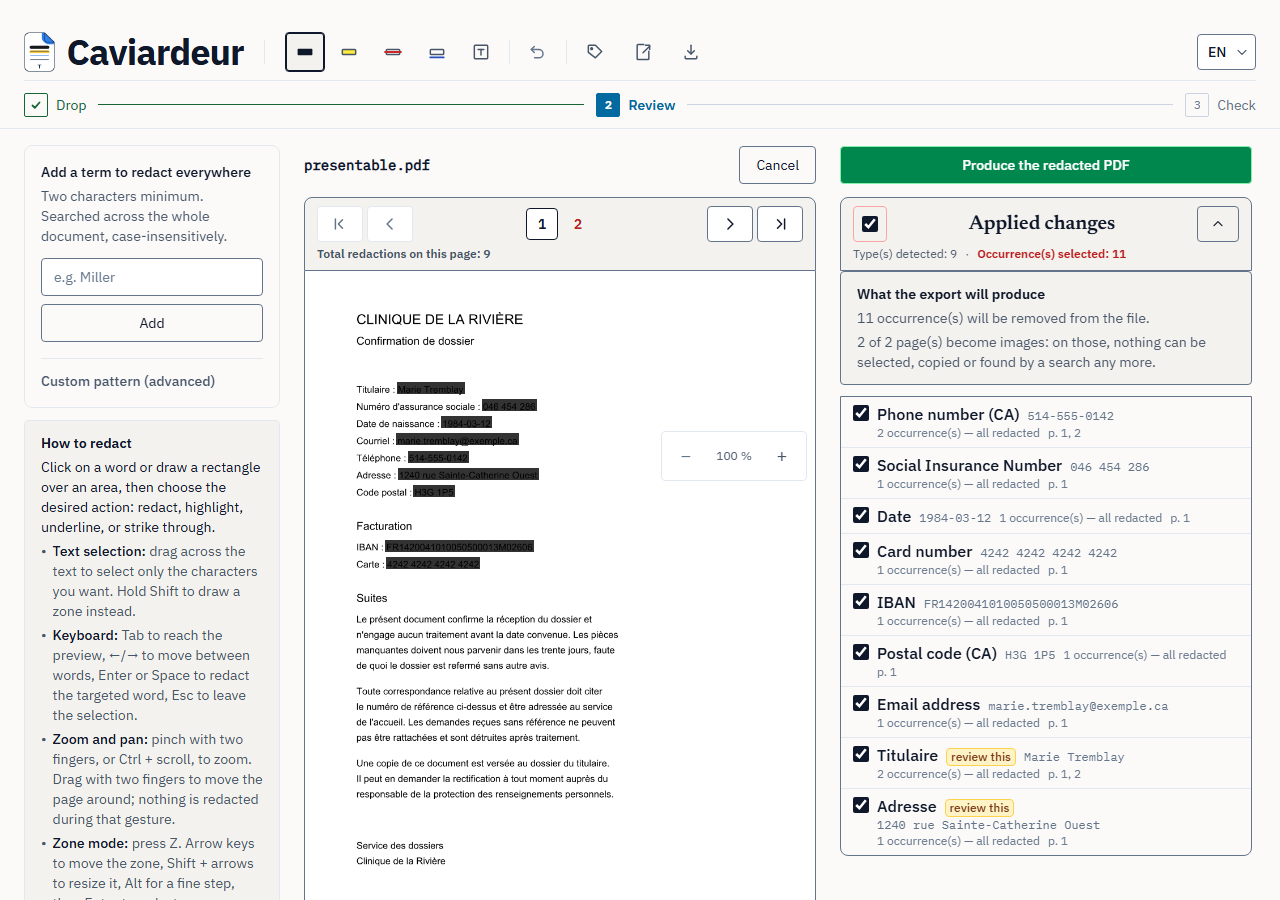
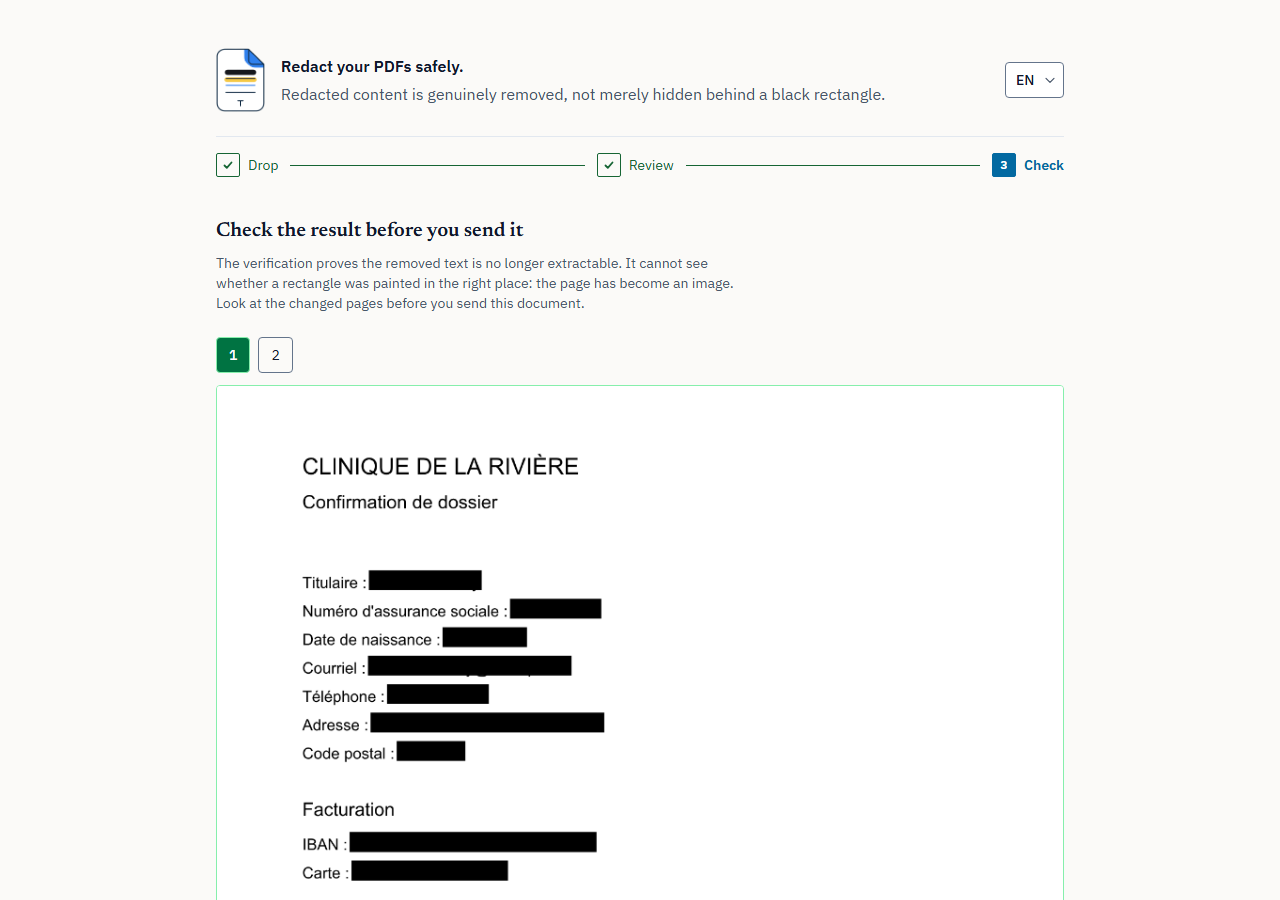
Redact a PDF online without sending the document anywhere
Most online PDF redaction services upload your file, process it on a server and send you back the result. For a document that contains precisely what you are trying to protect — a medical record, a contract, a bank statement, a court exhibit — that means handing the original to a third party before anything has been removed from it.
Here, reading, redacting and writing all happen in your browser. Load the page, then pull the plug: the tool keeps working. Two automated tests hold that promise on every release — one checks that the application works offline, the other that no request leaves the page while a file is being processed. How to redact a PDF without uploading it sets out how to tell, for any tool, whether it really is local.
Why an incomplete redaction matters
A rectangle drawn on top changes nothing about what the file stores. If the text under it can still be copied out, then sharing that document may share the very information it was meant to withhold — and what follows from that depends on the obligations that apply to you, which vary by country, by sector and by circumstance. The guide on the risks of a badly redacted document sets out what stays reachable in a file, and what to check before sending one.
Questions people ask first
Is it really free?
Yes. No account, no sign-up, no file limit, no watermark, no paid tier holding anything back. There is nothing to charge for: the work happens on your own machine.
What about metadata?
Annotations, attachments, thumbnails and document metadata are stripped from the produced file. A PDF carrying an owner password — the kind that opens without asking for anything — is decrypted before any processing, otherwise the rewritten file would come out unreadable.
More of them, with the limits stated rather than glossed over, in the frequently asked questions. This page in français and español.